A knowledge manager for the Mac · v1.1.31
One note pulls
on [[another]].
Skein is for the things you are working on, the things you are learning, and the things you have not worked out yet. Write them in Markdown, link one to another, spread them out on a canvas, and ask your vault a question. Your notes stay in a folder you control.
Or download the .dmg directly (18.0 MB, for Macs without the App Store)
Skein is new. 32 releases so far, and the next one is usually a fortnight away rather than a year.
- 1.1.31The window gives you a line back, and Format can take formatting off again.
- 1.1.30Underline with Command-U, and the highlight, tag and code boxes are finally one shape.
- 1.1.29Settings is nine panes in a sidebar instead of three crowded tabs, and a theme now reaches every window at once.
- 1.1.28Every panel opens and closes the same way, and the graph stops moving once it's shut.
- 1.1.27Properties become a form, Shortcuts can search, and a note renamed in the Finder keeps everything.
The full release log →Tell me what should be in the next one →
Three ways to look at it
The same note, the same vault, the same moment. Press one and see. Themes are chosen in Settings and reach every window at once. Nothing here is a mock-up.
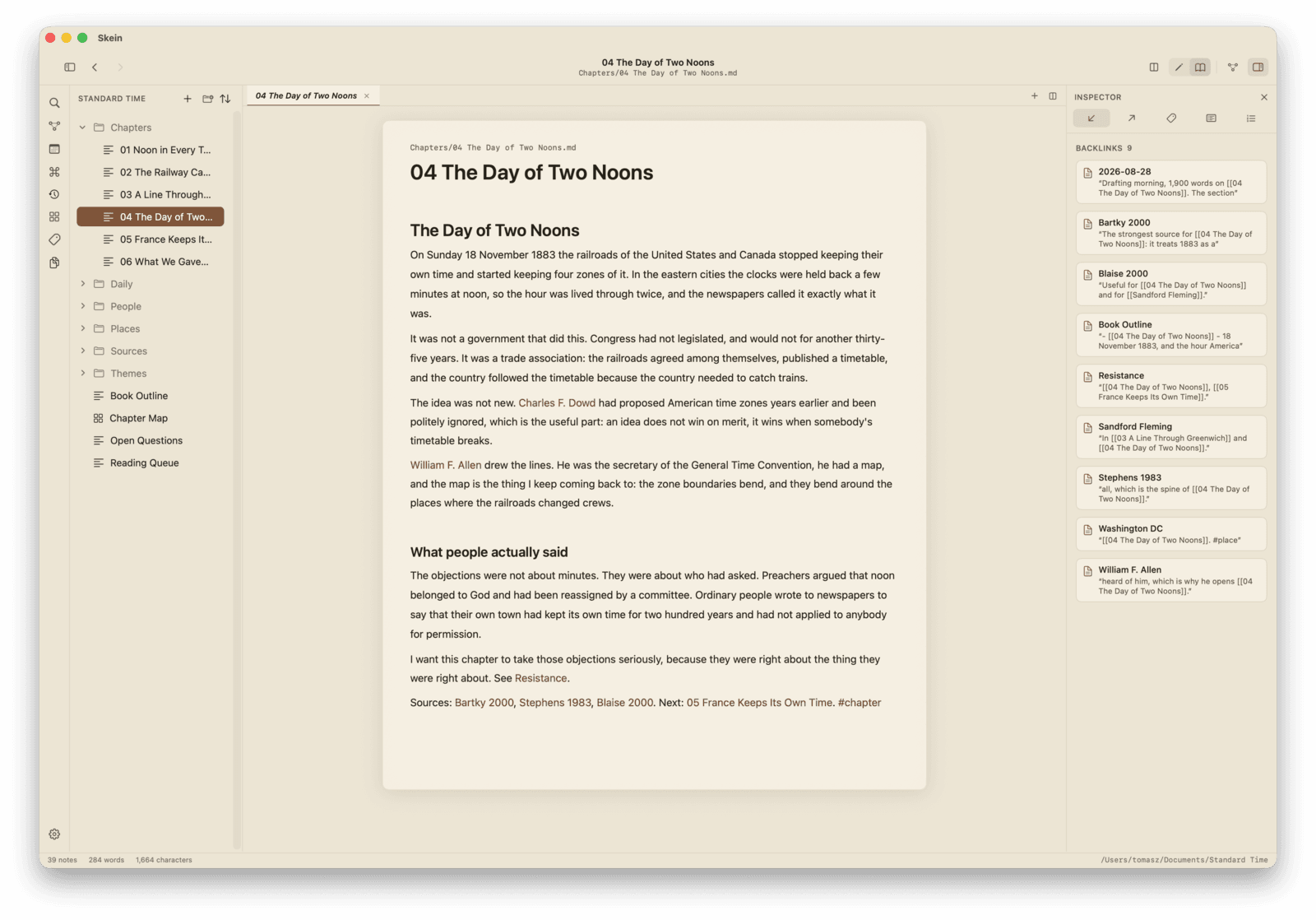
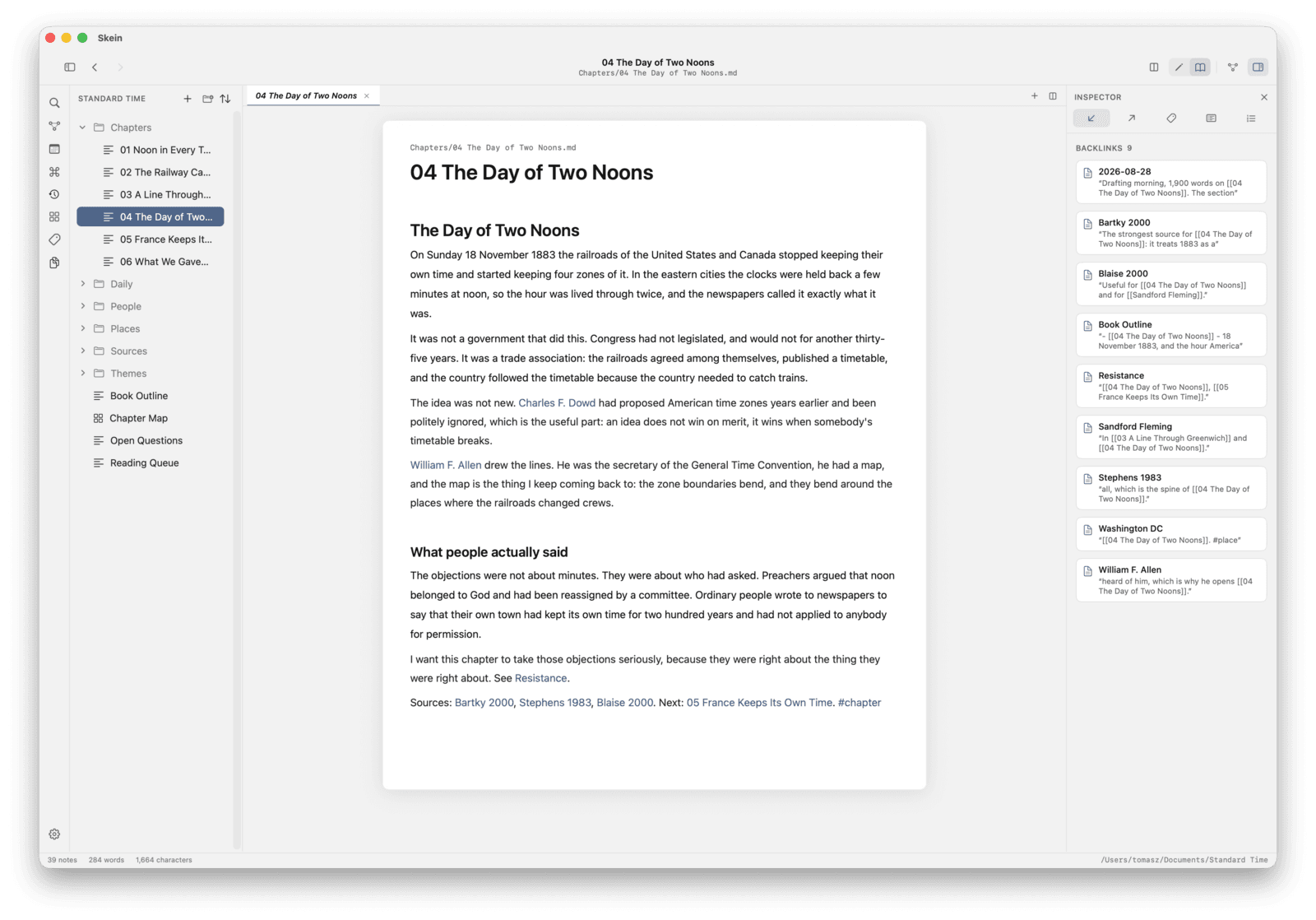
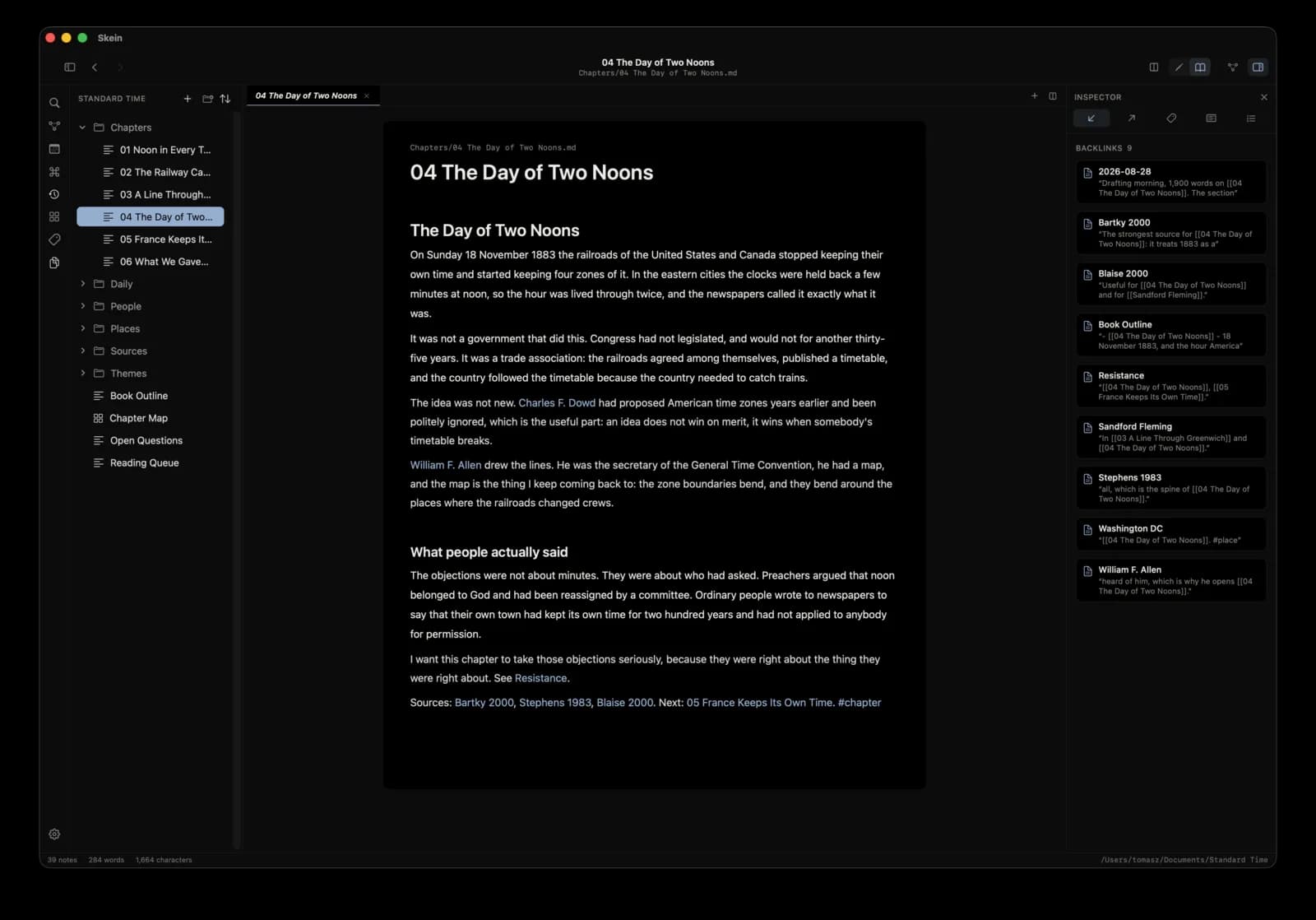
A warm page, a clay accent. The one Skein ships looking like.
Why Skein exists
I had the same three piles everyone has, and nowhere sensible to put them.
Most knowledge apps turn that into a project. Databases. Accounts. Sync. Plugins. Settings. The system becomes the thing you maintain instead of the thing you were trying to think about.
So I built something simpler. Skein is a native Mac app that puts your notes in a folder you control and then gets out of the way.
Your files
Ordinary .md files in a folder you choose. Open them anywhere.
Runs offline
No sync, no login. Nothing leaves your Mac.
Plain Markdown
Wikilinks, tags, YAML frontmatter. No proprietary format.
No subscription
Free. 14.2 MB download.
See what is around an idea.
A note is never really one note. Skein shows what leads to the thing you are reading, what it leads to, what sits beside it and what is merely related.
The local graph is not a map of everything you have ever written. It is the neighbourhood around the idea you are thinking about now.
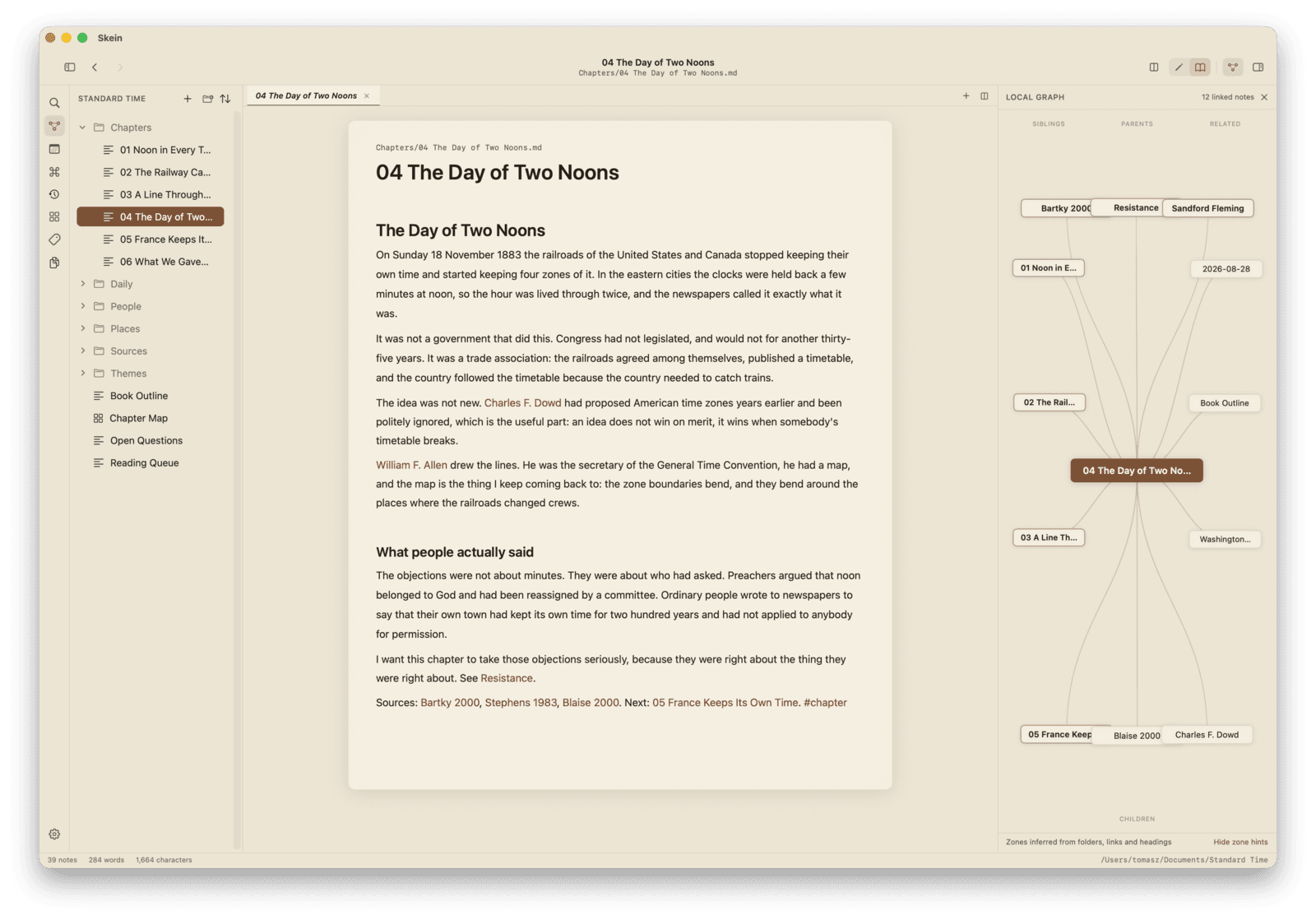
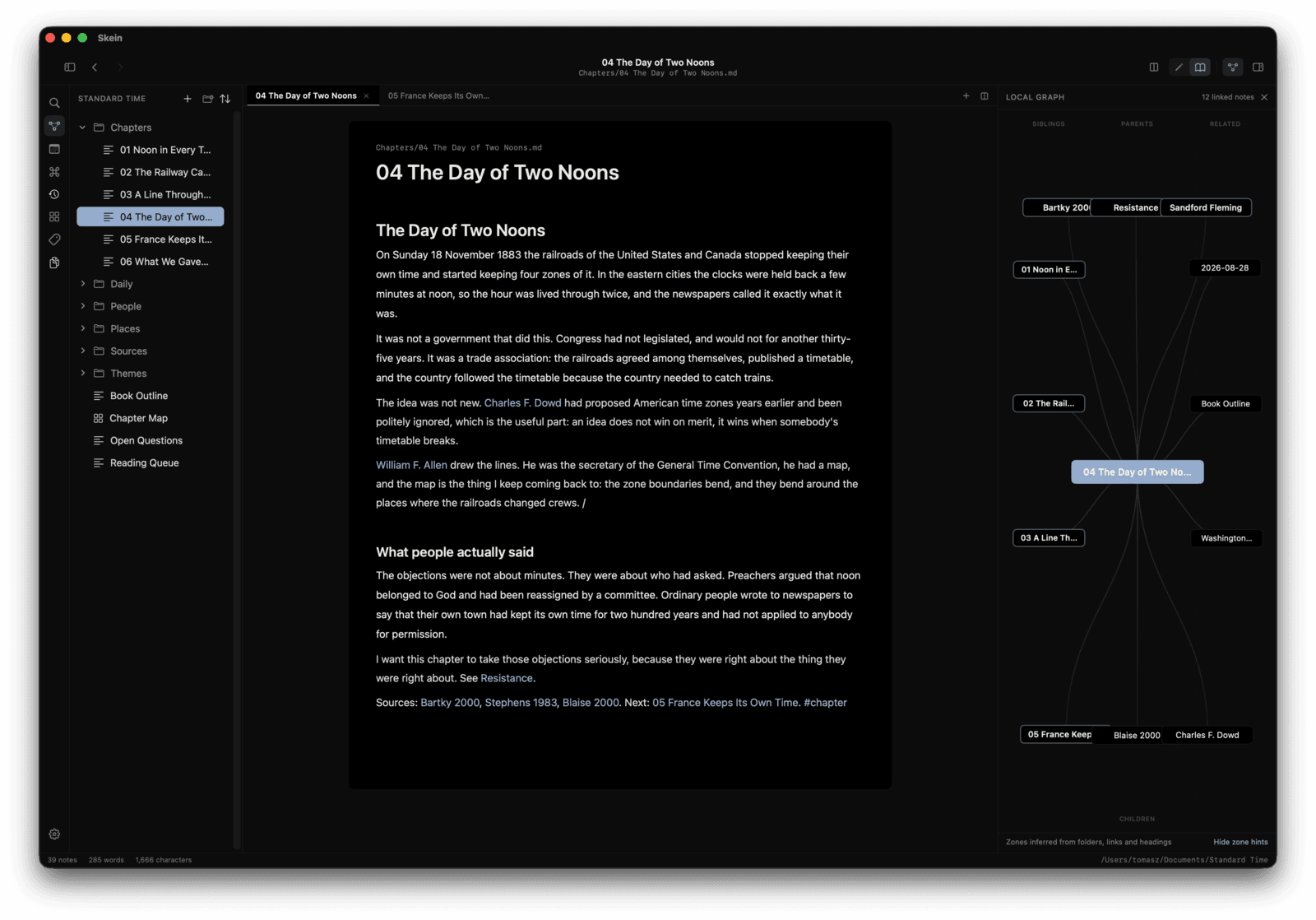
The same vault, both ways. Drag to compare.
How the graph is arranged
Parents
Notes that lead here.
Children
Ideas this note points towards.
Siblings
Other notes in the same place.
Related
Notes connected through tags and links.
Inferred from your folders, your links and your tags. Nothing to label by hand.4
What makes Skein different
The graph is for thinking
Not a tangled map of every file you own. Skein puts the note you are reading at the centre and gives the things around it a shape you can hold in your head.4
The index is not your knowledge
The index can be deleted and rebuilt from your files. It lives outside the vault, so the folder you back up contains your notes and nothing else.3
The text never moves under you
Markdown renders as you write, driven by content rather than by where the cursor happens to be. The line does not reflow as you move through it, which is the thing live preview elsewhere keeps getting wrong.
A canvas for what will not sit in a list
An infinite board of cards, notes and labelled arrows, saved in the open JSON Canvas format, so the file opens in Obsidian too, and will still open in whatever comes after both of them.
Ask your vault a question
A small block in a note becomes a live list, table, board or calendar of everything that matches. No plugin, no query language with a JavaScript escape hatch, and nothing that runs code in your notes.
The whole list is on the features page. If you want the longer argument, I wrote up what makes Skein different and an honest comparison with Obsidian, including what Skein does not do. If you are still choosing, there is a wider comparison of the Mac note apps that names where each of the others wins.
If you only want one file
Everything above is about a folder of notes that know about each other. If what you actually have is one Markdown file - a draft, a README, something somebody sent you - then Skein is more than you asked for.
Lede is that: one file, one window, and the same editor underneath. The syntax disappears while you type in exactly the same way, because it is the same code. No sidebar, no folder tree, no links between notes, no search across a vault. It is free too, and nothing is held back from it to make this paragraph work.
Start there if you want to. Files written in one open in the other, because both are just Markdown in a folder you control.
Everything else
- Plain Markdown
- Your notes stay ordinary .md files in a folder you chose.
- Wikilinks
- Connect one thought to another. Type two brackets and keep going.
- Local graph
- The neighbourhood around the note you are reading, not a map of everything.
- Backlinks
- Discover what already points at an idea, with the line that mentions it.
- Unlinked mentions
- Notes that talk about this one without linking to it yet.
- Full-text search
- Search the whole vault and see the matching context.
- Quick switcher
- Jump between notes without leaving the keyboard.
- Command palette
- Every important action, one shortcut away.
- Properties
- Typed YAML frontmatter, without making it feel like a database.
- Tags
- Organise ideas without forcing them into folders.
- Daily notes
- A place to put what is happening today.
- Split view
- Read one note while working on another.
- Reading mode
- For when you just want to read.
- Templates
- Any note in your templates folder, with date and title filled in.
- Version history
- A snapshot on every save, kept safely outside your vault.
- Inline images
- Drag a file in and it lands where the cursor is.
- Export
- Paginated PDF, self-contained HTML, or the Markdown you started with.
- Native Mac
- SwiftUI and AppKit. No browser runtime, no web view.
What it costs
Nothing.
Skein for Mac is free.2 Not free for now, and not free until it catches on. There is nothing to buy, so here is every line somebody might expect to find a charge on.
- The app
- Free to download and free to keep. No trial, no time limit.
- Every feature
- All of it. There is no pro version, and nothing in the app is greyed out until you pay.
- Updates
- Free, including the ones that add things.
- Notes and vaults
- As many as you like. Nothing is counted or capped.
- An account
- There isn't one to make. Skein has no login and no network code in it at all.
- Sync
- Not sold here. Keep your vault in iCloud Drive, Dropbox or anything else you already use, and Skein neither knows nor charges for it.
- Your notes, later
- Ordinary Markdown files in your own folder. Nothing to export and nothing held hostage if you stop using Skein.
If it turns out to be useful and you want to, you can put something in the tin. Entirely optional, and nothing in the app changes either way.
Your notes. Your folder. Your knowledge.
Skein does not own your notes. They are ordinary Markdown files you can open anywhere, back up yourself, put in version control, or move to another Mac. If Skein disappeared tomorrow you would still have everything you wrote in it.
14.2 MB · macOS 14 or later · Apple silicon and Intel · signed and notarised by Apple5
Or download the .dmg directly (18.0 MB, for Macs without the App Store)
Notes
- 1.Two figures, because they measure different things and quoting the smaller one against Obsidian would flatter us. 14.2 MB is what the App Store sends you (v1.1.31), because Apple thins the binary to the Mac you are on. 18.0 MBis the universal disk image carrying both architectures, and that is the number set against Obsidian’s universal 218 MB (1.13.7, August 2026), since like must be compared with like. Obsidian ships an Electron runtime and Skein does not, which is most of the difference either way, and is the point rather than a trick of measurement. ↩
- 2.Free. Skein for Mac costs nothing and there is nothing to buy: no paid tier held back, no cloud plan, no account. It is not free for now and priced later. Skein for Mac is free, and that is the whole sentence. Where your vault lives is up to you, and syncing it through iCloud Drive, Dropbox or anything else is your arrangement with them rather than a product sold here. ↩
- 3.The index is derived. Delete it and Skein rebuilds it from your files; nothing in it is knowledge you would lose. It lives outside the vault so that a folder you back up or put in version control contains your notes and nothing else. ↩
- 4.Parents, children, siblings and related are inferred from your folder structure, your links and your tags. There is nothing to label by hand, and no relationship editor to keep up to date. ↩
- 5.A skein is a loosely coiled length of yarn, and the collective noun for geese in flight. Both were considered at naming time. Only one of them has a local graph. ↩